Shotoshot
A downloadable tool for Windows and Linux
Fewer words. More clarity.
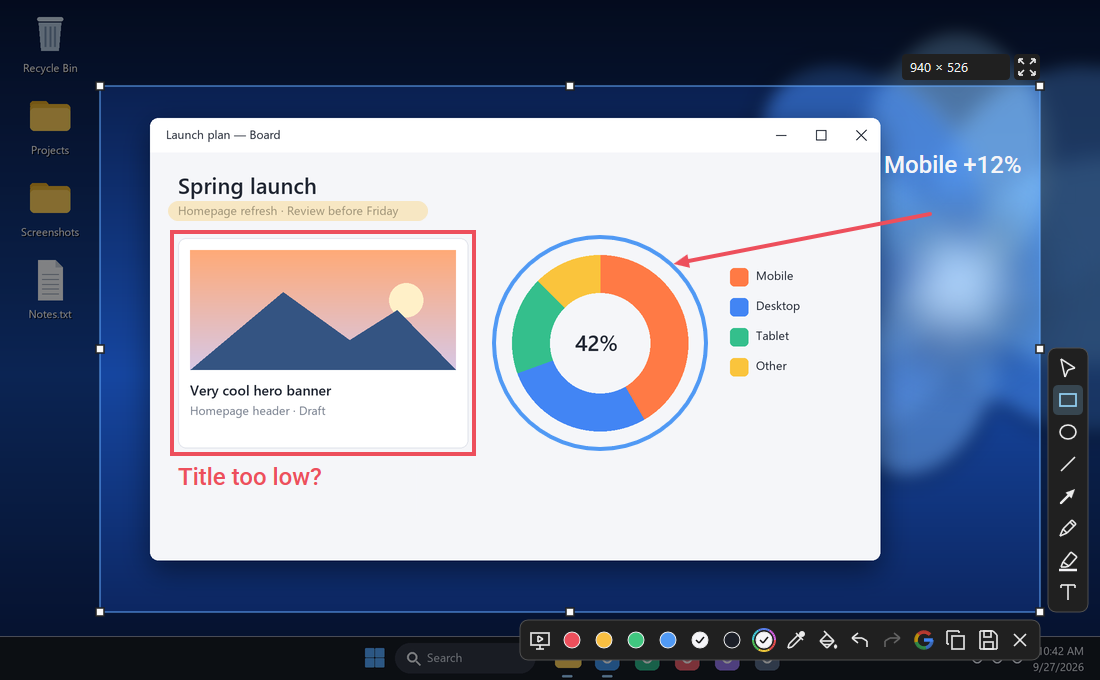
Capture a detail. Draw an arrow. Show exactly what you mean.
Shotoshot is a free screenshot and annotation tool for Windows, with live drawing for streams, classes and demos. One small app, no account.
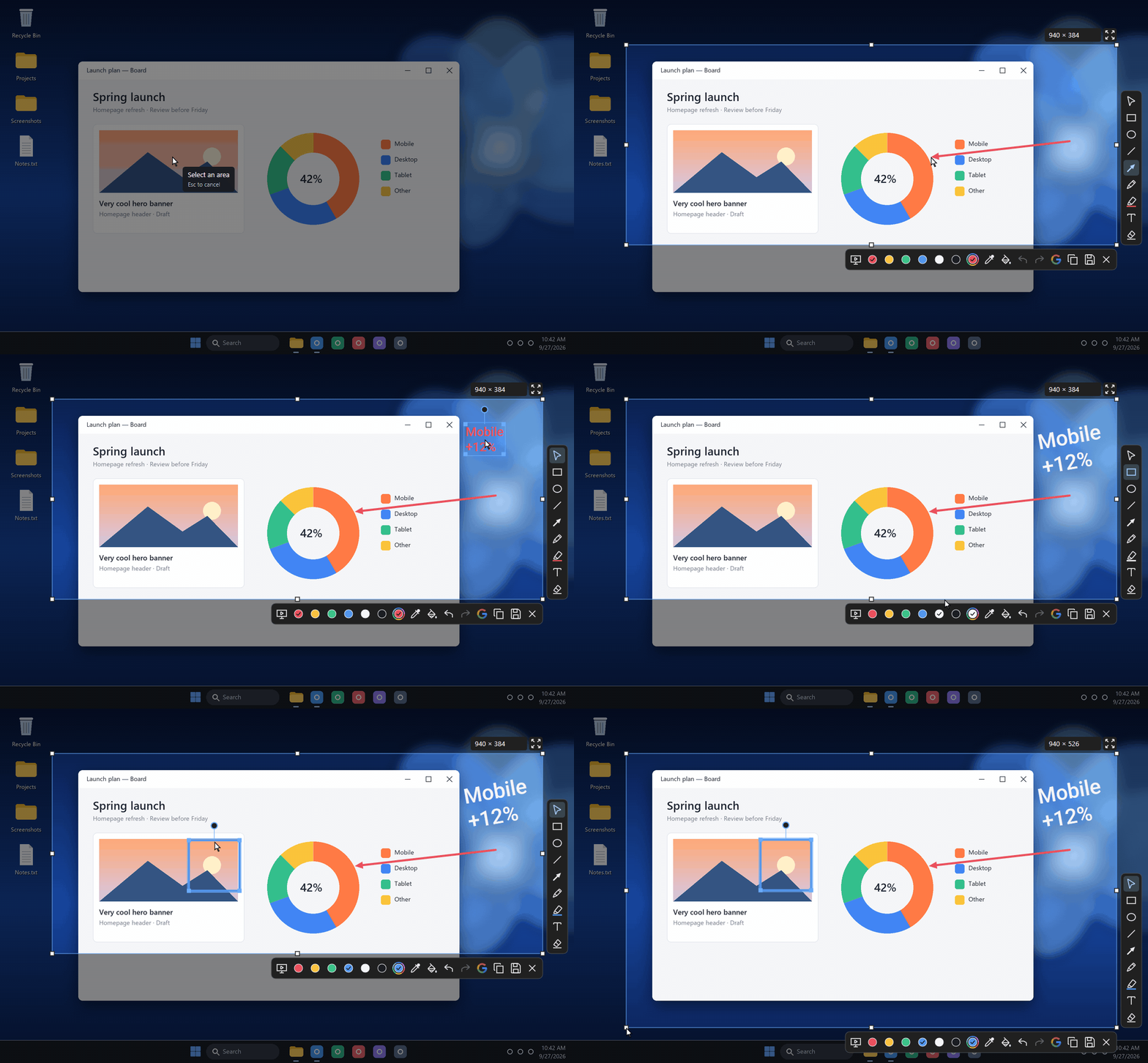
Nothing is final until you say so
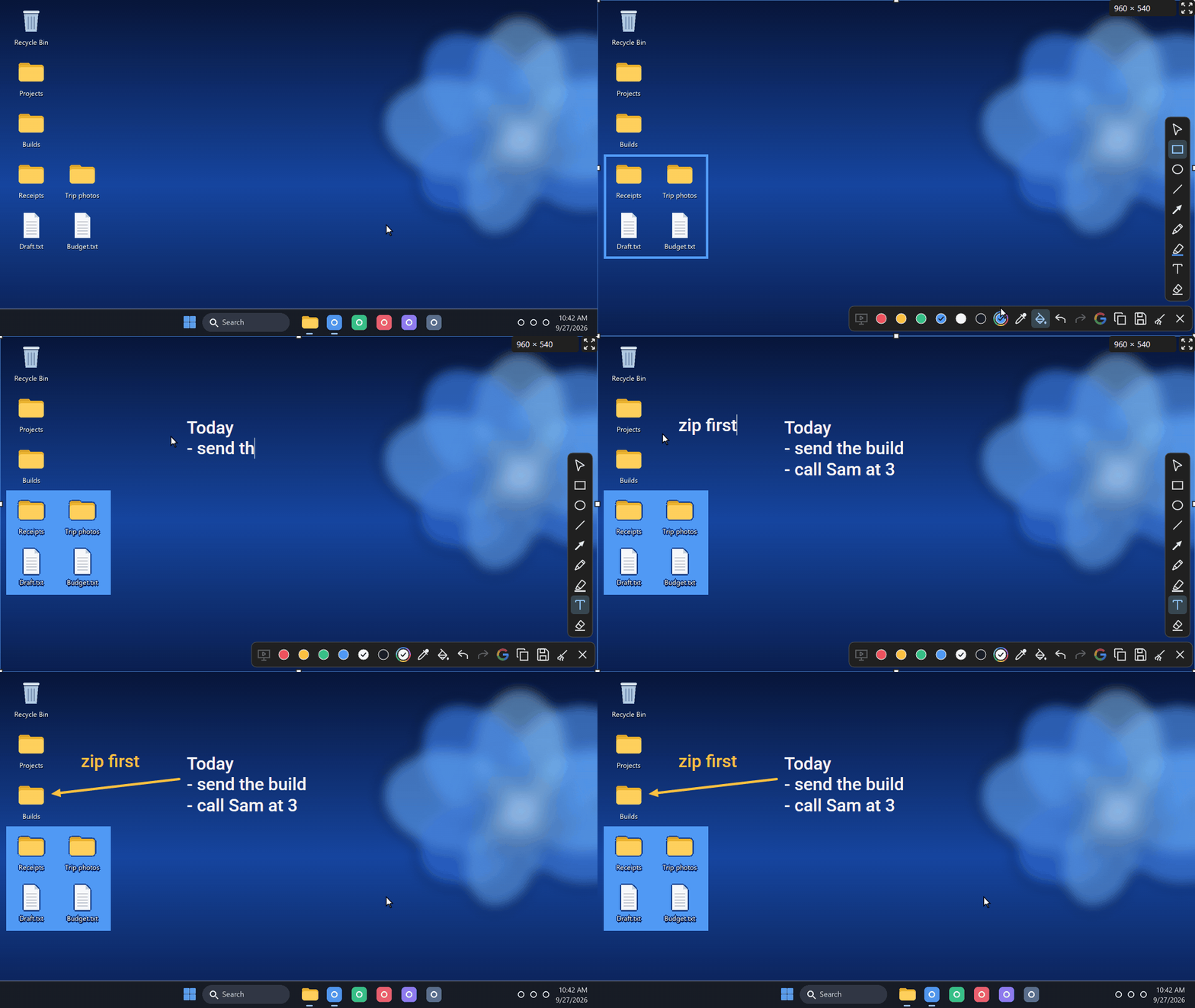
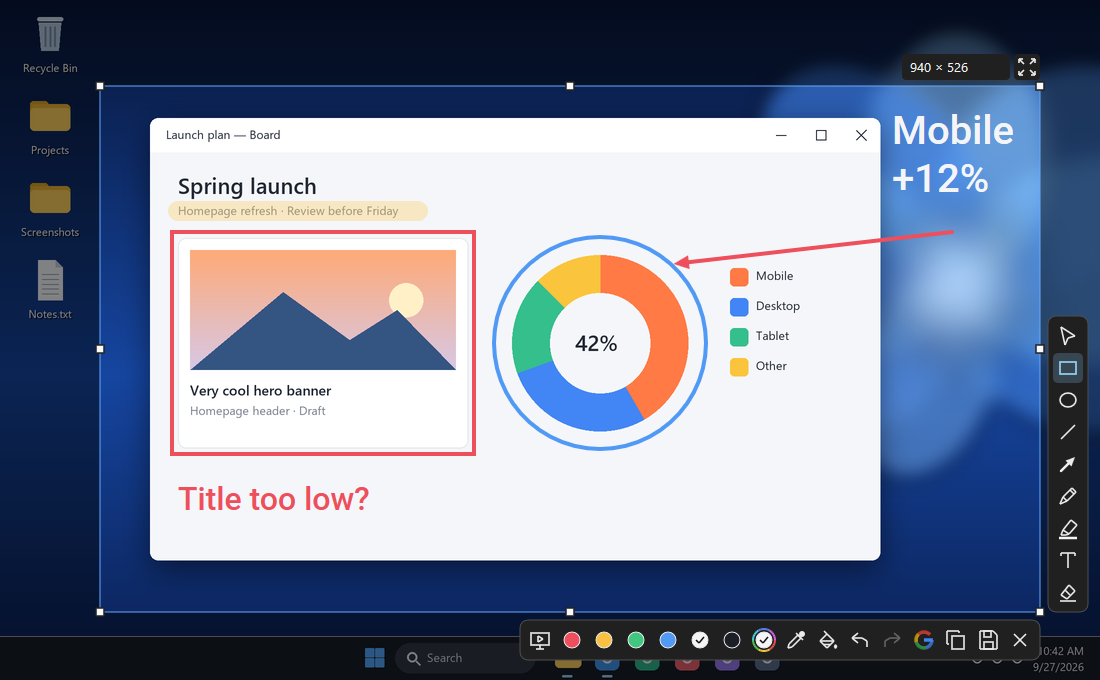
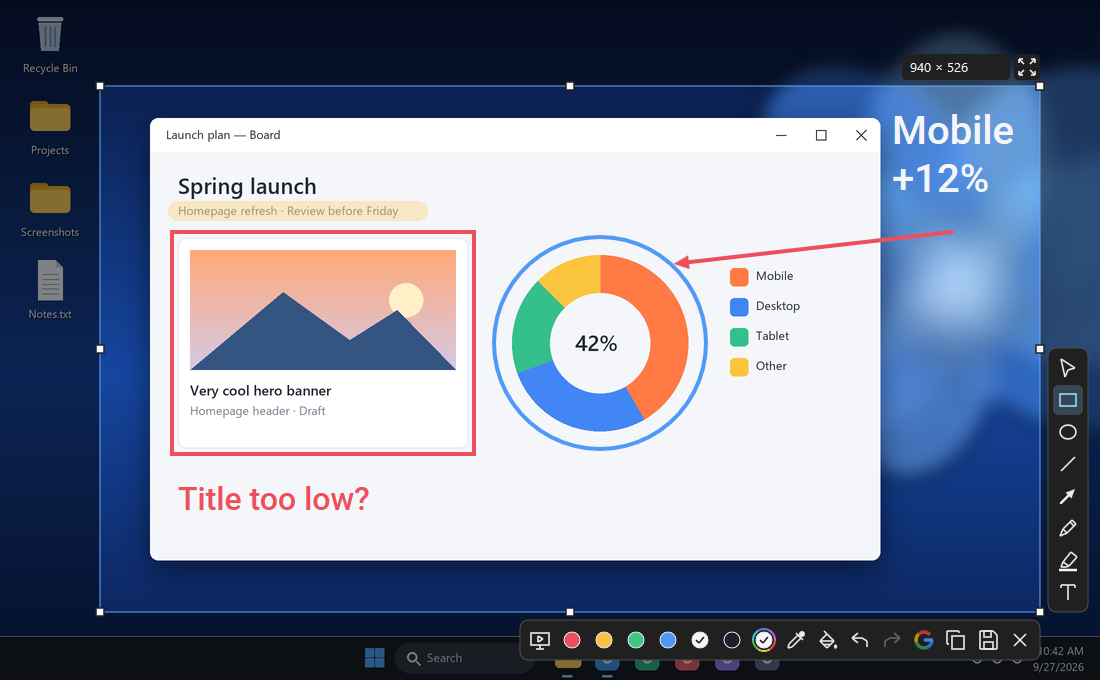
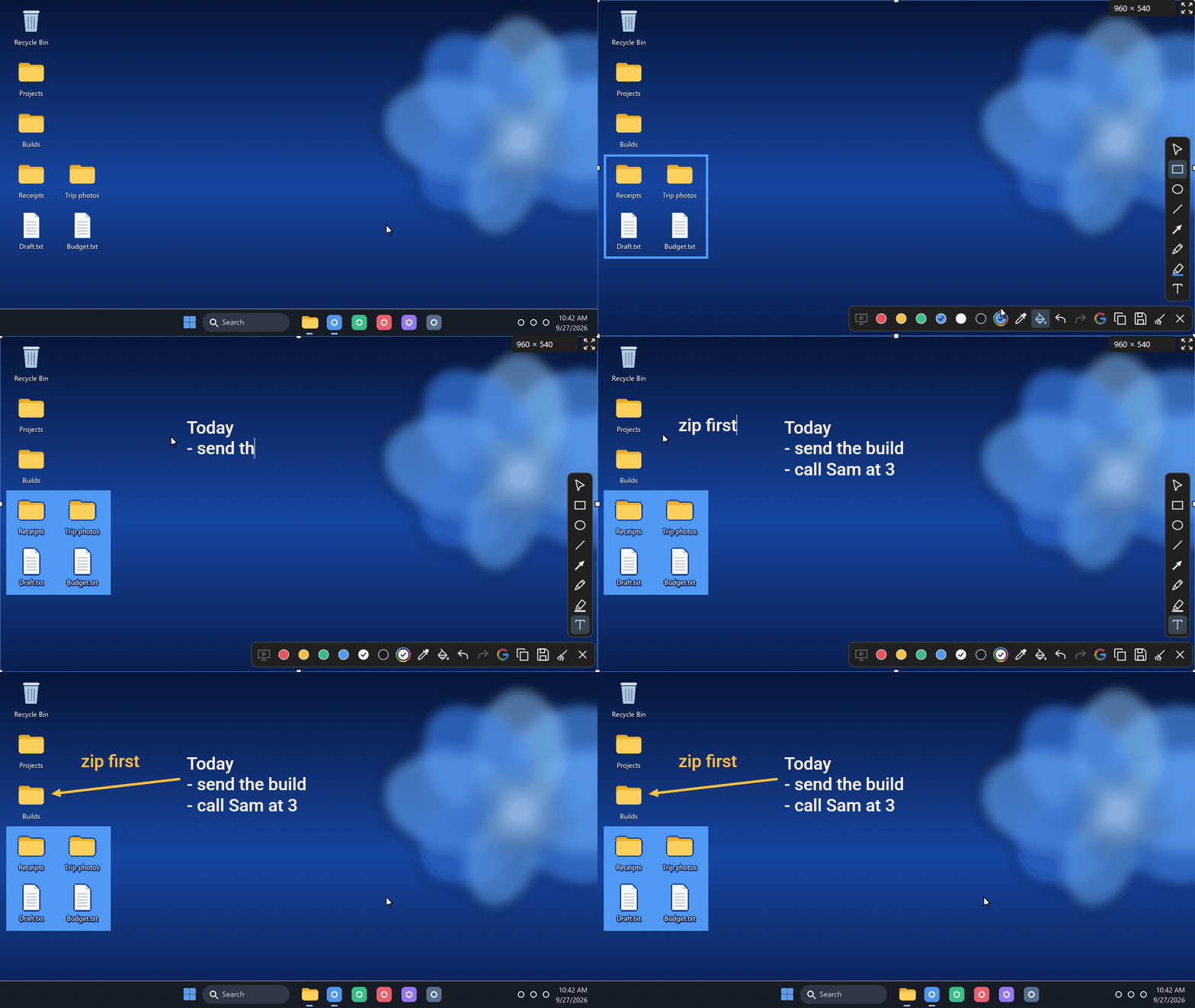
Most screenshot tools flatten what you draw the moment you draw it. In Shotoshot, every arrow, box and word stays editable until you copy or save.
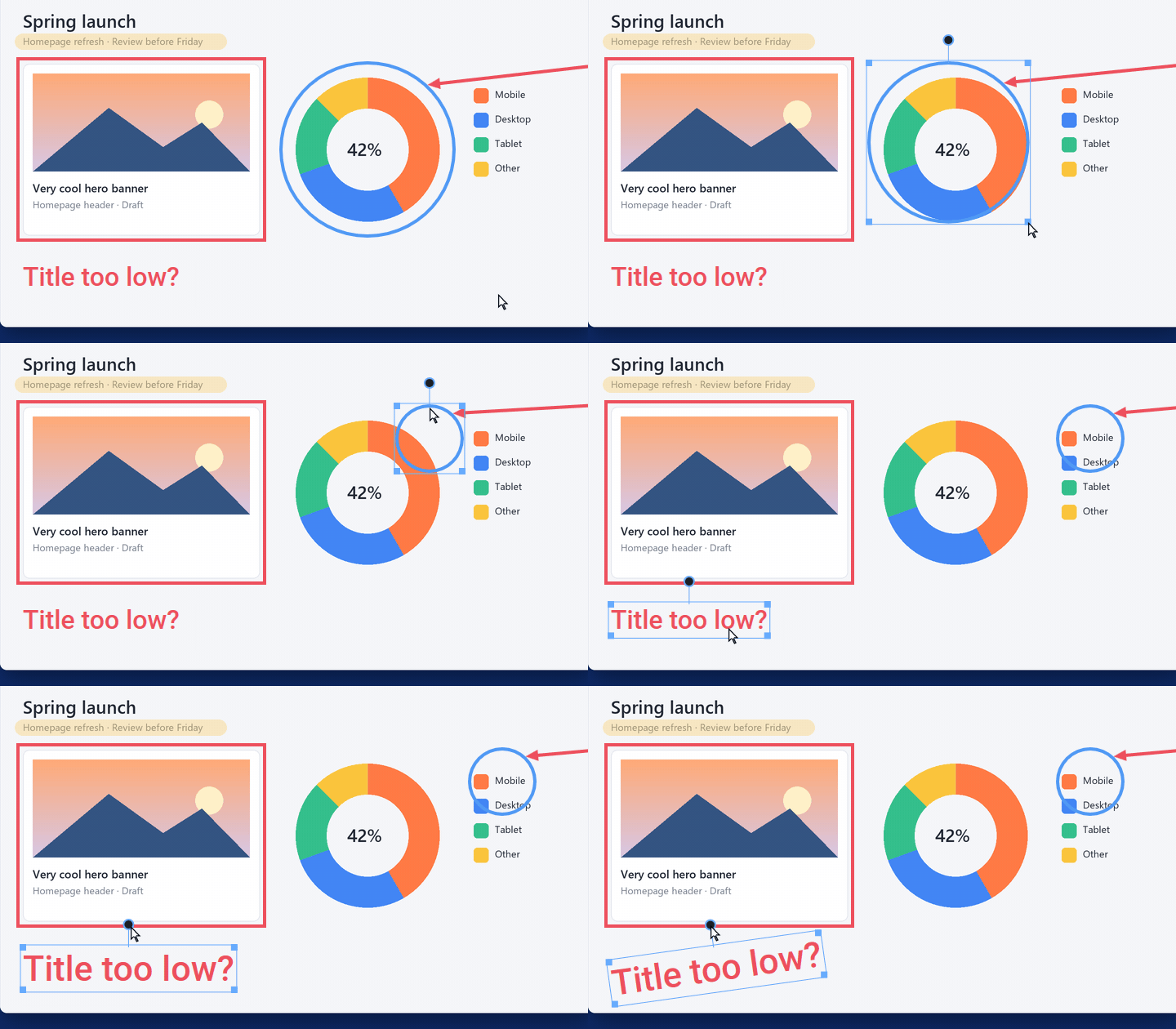
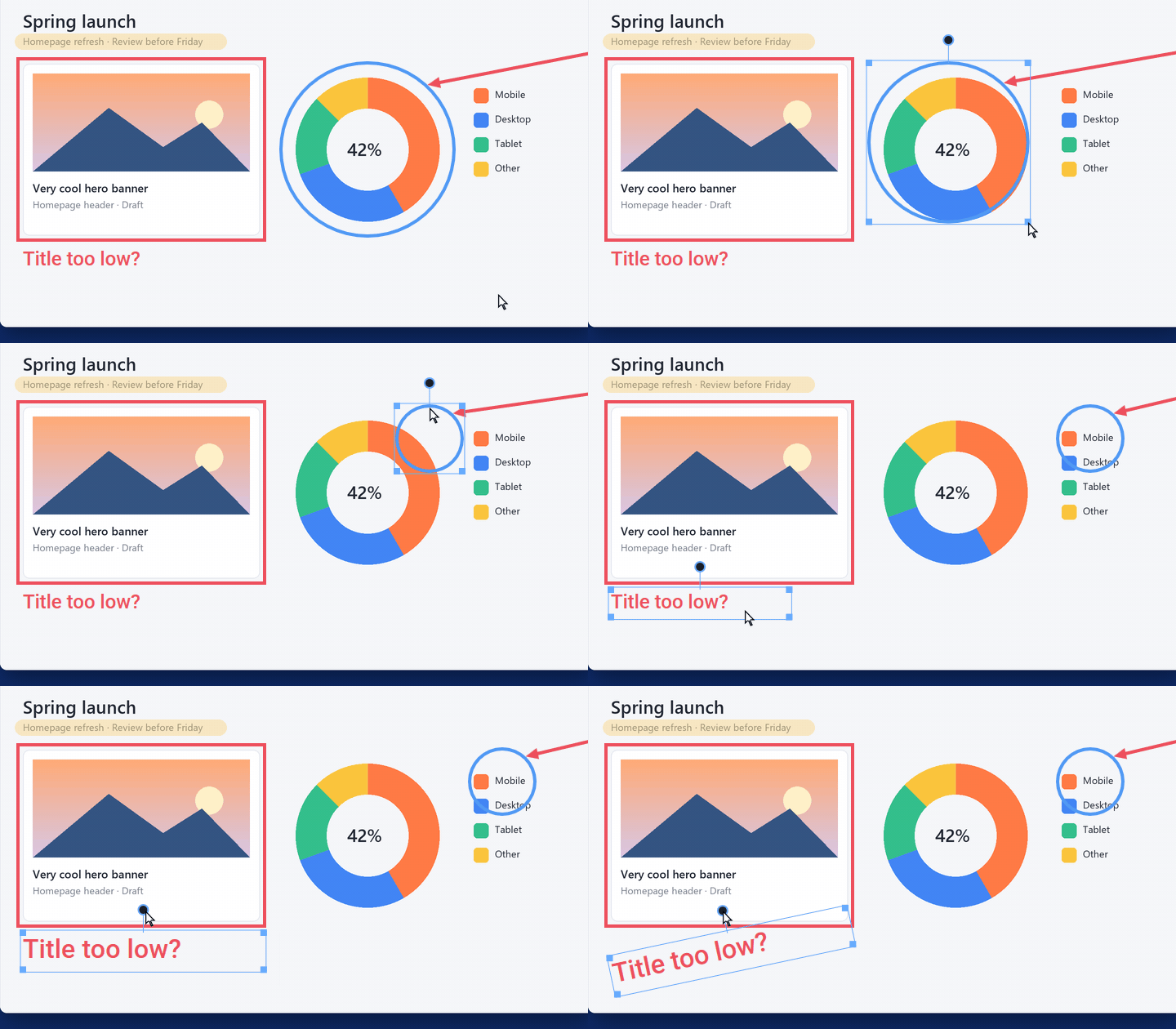
- Move, resize, rotate, restyle anything you already drew.
- Arrows that stick: snap an arrow to a box or an ellipse and it follows the shape around.
- Reopen your text to fix a typo, or change its size and color.
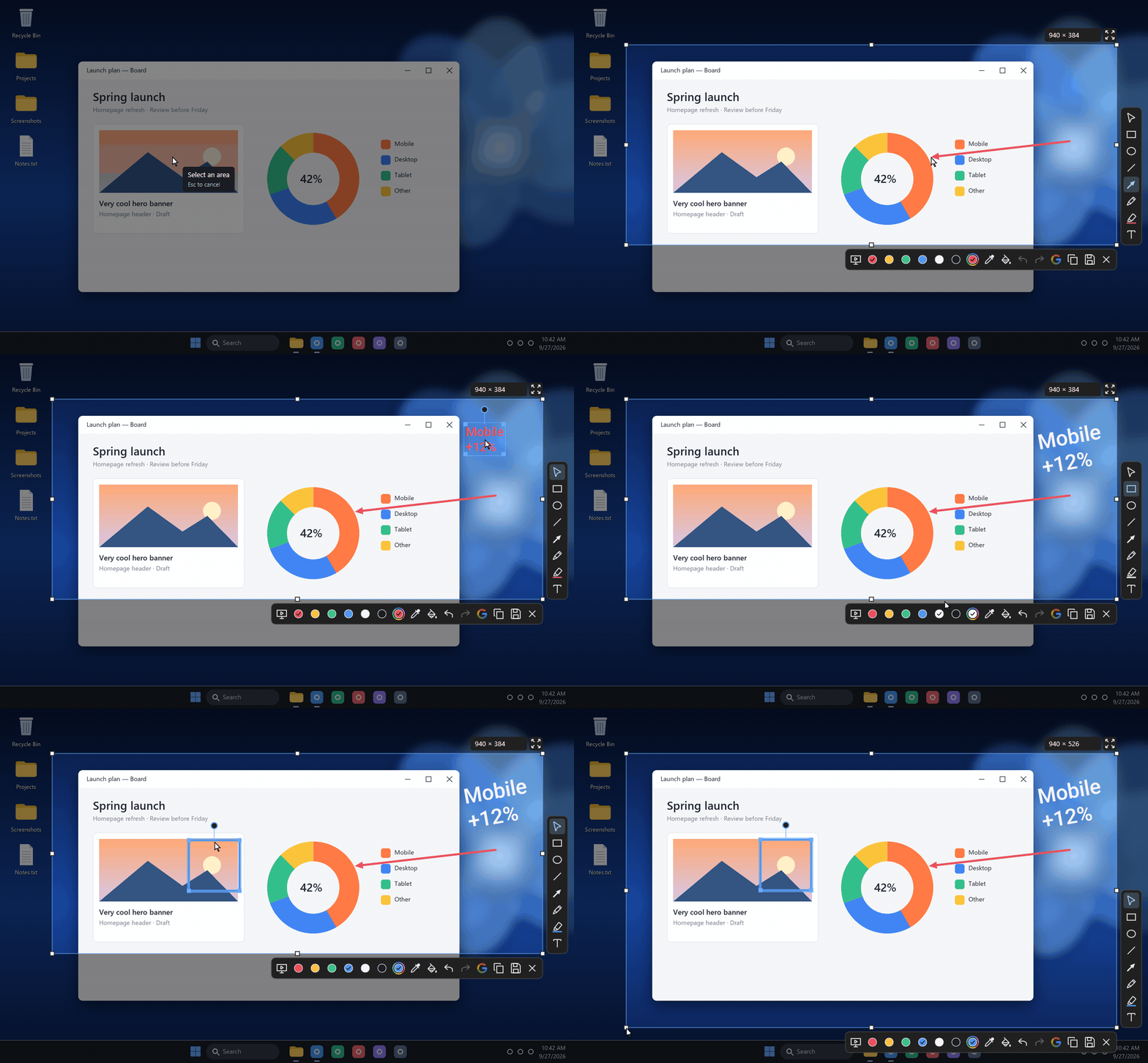
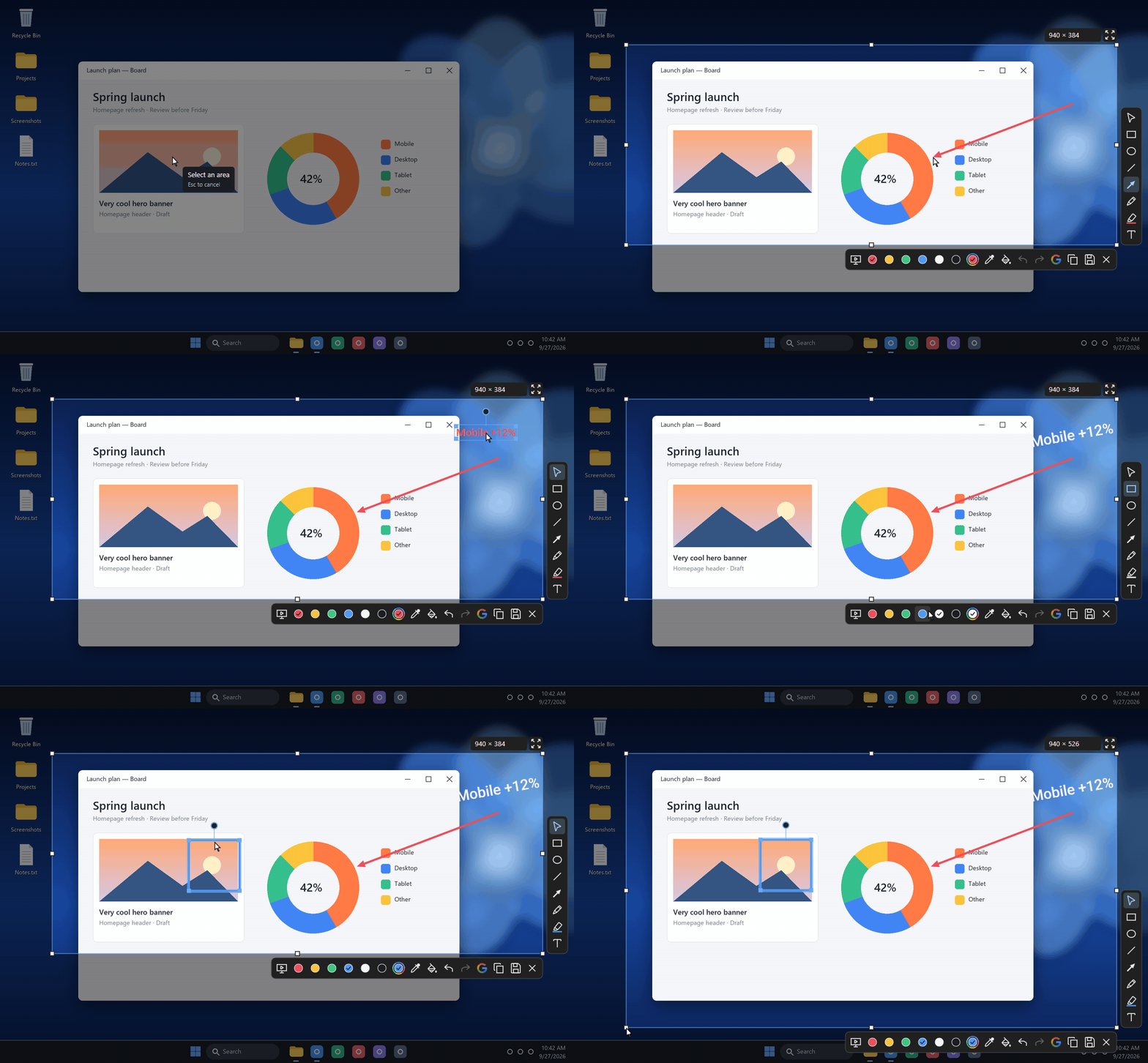
- Reframe afterwards: drag the edges of the captured area, or type an exact size. It even does the math:
1920/2. - Switch apps, keep your edits: Alt+Tab away and come back, your annotations are still there.
- Reopen it another day: save an editable
.shotoimage and every annotation is still an object when you open it again.
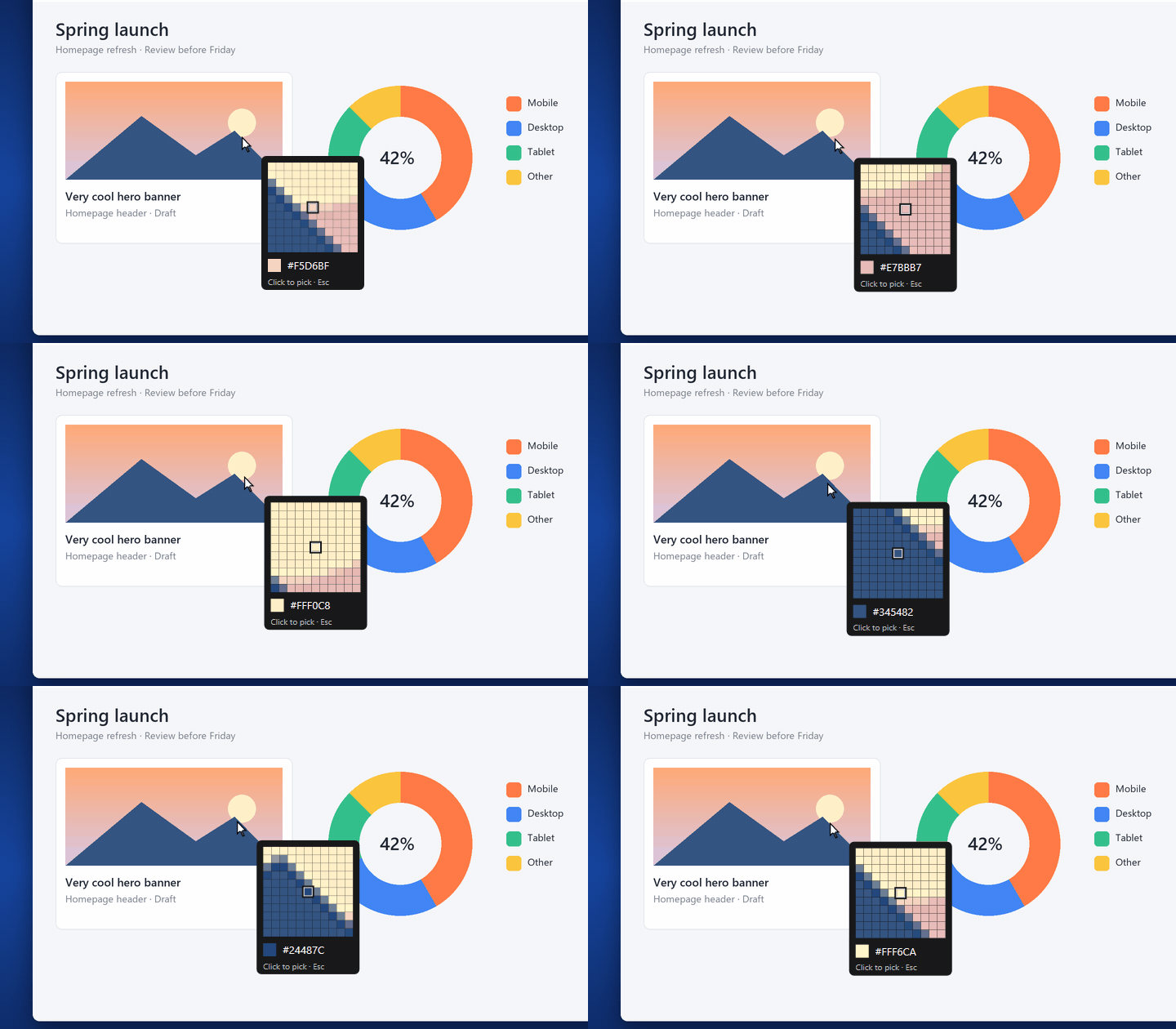
Grab any color on screen
Hover any pixel and the loupe shows it up close. One click makes it your drawing color and copies its hex code to the clipboard. The bucket then recolors a stroke, fills a shape, or colors the whole capture into a slate to draw on.
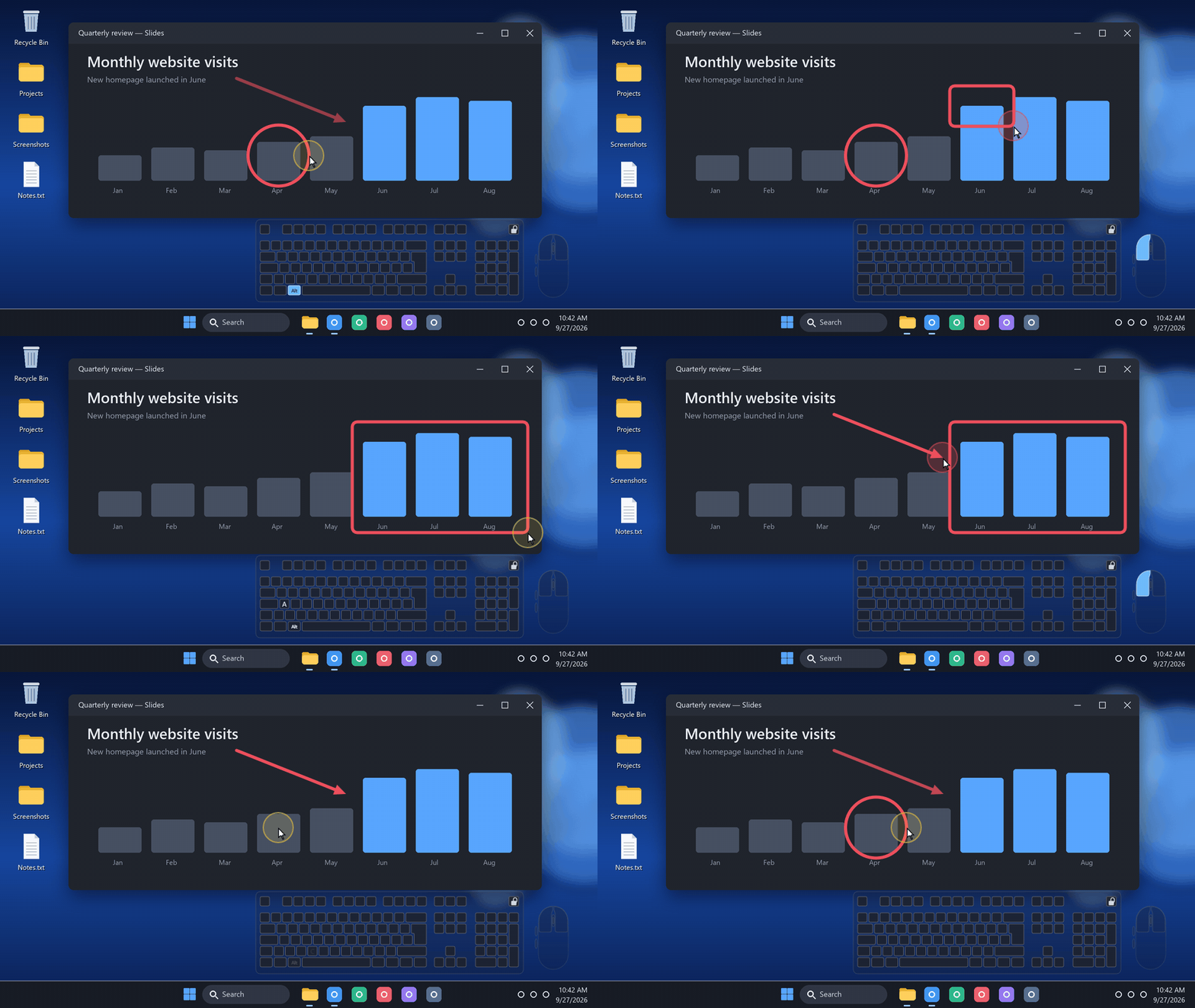
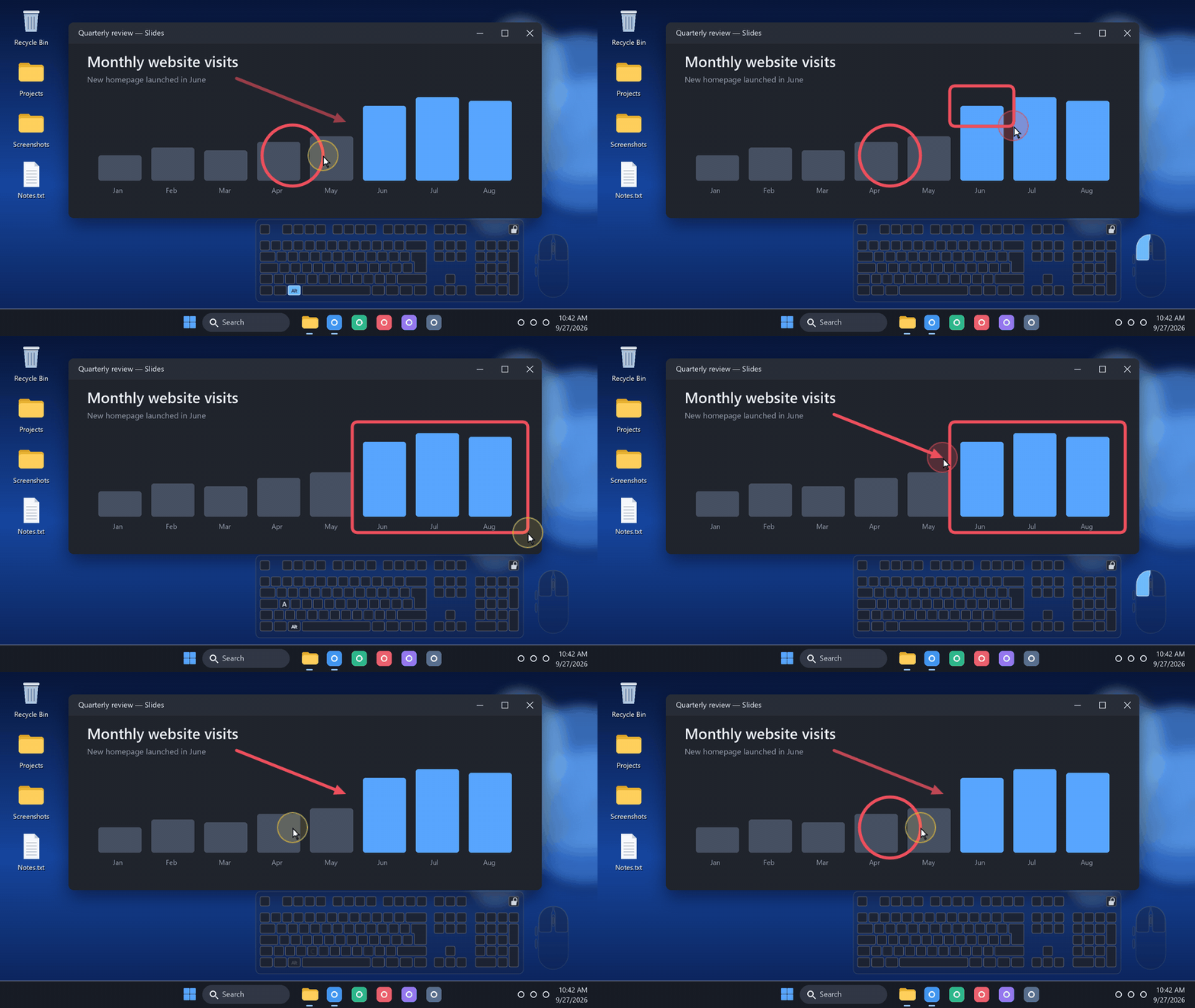
Draw on your live screen. No screenshot.
For a stream, a class or a demo: your drawings float over whatever is running, guide people's eyes, then clear themselves.
- Alt+A arrow, Alt+R rectangle, Alt+C circle. All remappable.
- A halo around the pointer, so people can follow your moves and clicks.
- Your input, visible: an optional mini keyboard and mouse show what you press.
- Streamer friendly: your viewers see it all in OBS Display Capture or any screen share.
- A panic button: Ctrl+Alt+Esc hides everything at once.
Notes on your desktop, under the icons
The Board: write and draw on the desktop itself, with the same editor. The notes become part of your wallpaper: always in sight, never in the way.
- Alt+B opens the board, Esc applies it. Remappable.
- Under your icons: while you write, your icons stay in front, exactly as the desktop will look.
- There without Shotoshot: the notes stay on the desktop when the app is not running, and nothing runs in the background to keep them there.
- Yours to take back: one switch hides the notes and gives your own wallpaper back, and so does uninstalling.
The small things
- Instant capture: one key sends the current screen straight to your Desktop, without opening the editor.
- A smooth pen, and a real highlighter whose overlapping strokes never get darker.
- Shift for straight lines at 45° and perfect squares. The mouse wheel sets the thickness, from 1 to 40 px.
- Select across every monitor at once, or unfreeze the screen so videos keep playing until the moment you copy.
- Page Up and Page Down reorder the shapes that overlap.
- Save as PNG or JPEG, with tidy file names (
Shot 001.png,Shot 002.png…) that never overwrite a capture. - Starts with Windows and waits quietly in the tray.
Private by default
No account. No telemetry. Copying and saving stay on your computer. The only thing that can ever leave it is a Google Lens search, and only when you click it.
Open source
Shotoshot is open source under the GPL-3.0 license: the code is on GitHub.
Install
Windows 11, x64. A 2.7 MB installer, no admin rights needed. It isn't code-signed yet: if Windows shows “Windows protected your PC”, click “More info”, then “Run anyway”.
Linux preview (x86_64 and ARM64, Wayland or X11): extract the archive, run sh install.sh, then bind a keyboard shortcut to shotoshot --capture. Not on Linux yet: presentation mode, the Board, live capture and Google Lens.
Tell me what you think
Shotoshot is an early release (0.3.0) and it is still evolving. Leave a comment below, or fill in the two-minute form at shotoshot.com/feedback: say what works, and what gets in your way.
Credits
A project by Mickaël Mancini.
Download
Click download now to get access to the following files:
Leave a comment
Log in with itch.io to leave a comment.